
Download Windows Update Blocker – disable automatic updates, portable utility, system stability, Windows 10/11 update control, update management
Overview
Windows Update Blocker is a freeware utility developed by Jason K. Menard, designed to restore user control over automatic updates in Windows 10 and Windows 11. As modern Windows versions have reduced direct UI access to update settings, this tool offers a streamlined solution for users who prefer to manage updates manually. The application addresses a common pain point: the inability to fully disable automatic updates through standard system settings, which can disrupt workflows, cause unexpected reboots, or introduce compatibility issues.
Target users include power users, IT administrators, and professionals who rely on stable system configurations—such as developers, content creators, or system engineers—where unexpected updates could interfere with critical tasks. The utility also benefits users in environments with limited or unreliable internet access, where automatic downloads may be undesirable. By allowing users to toggle updates on and off with a single click, Windows Update Blocker enhances system predictability and user autonomy.
Although the developer did not provide additional technical details about the underlying mechanisms, the tool’s purpose is clear: to simplify access to the Windows Update service without requiring manual configuration via Services or Group Policy. Its presence in the utilities category underscores its role as a lightweight, focused tool within the broader Windows ecosystem. For users seeking greater control over their operating system’s behavior, this utility serves as a practical and accessible solution.
Key Features & Functionality
- One-Click Disable/Enable of Automatic Updates – Users can instantly turn off or reactivate automatic updates with a single button press, eliminating the need to navigate complex system menus or modify registry settings.
- Portable Operation – The utility runs without installation and leaves no traces on the host system, allowing it to be used from USB drives or external storage across multiple devices.
- Enhanced Control Over Windows 10/11 Update Behavior – Bypasses limitations in the default Windows Settings and Control Panel interfaces, offering functionality that is otherwise unavailable through standard UI options.
- Simplified Service Management – Automates the process of modifying the Windows Update service startup type, removing the need to open Services.msc and manually adjust settings.
- System Stability Preservation – Prevents unexpected updates from disrupting customized system configurations, reducing the risk of performance degradation or software incompatibility.
For example, a developer working on a time-sensitive project can disable updates before starting work, ensuring no interruptions occur. Similarly, an IT technician managing multiple machines can use the portable version on a USB drive to quickly disable updates on any system without installing software. The utility’s focus on ease of use and reliability makes it a valuable tool for both technical and non-technical users who value control and stability.
Interface, UX & Performance
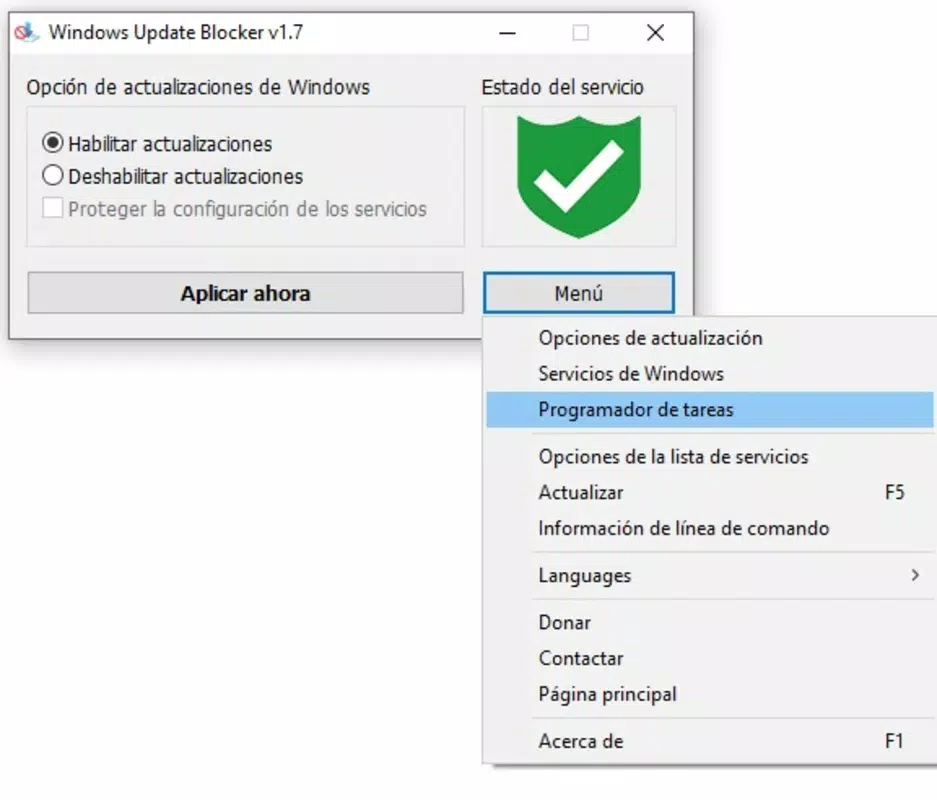
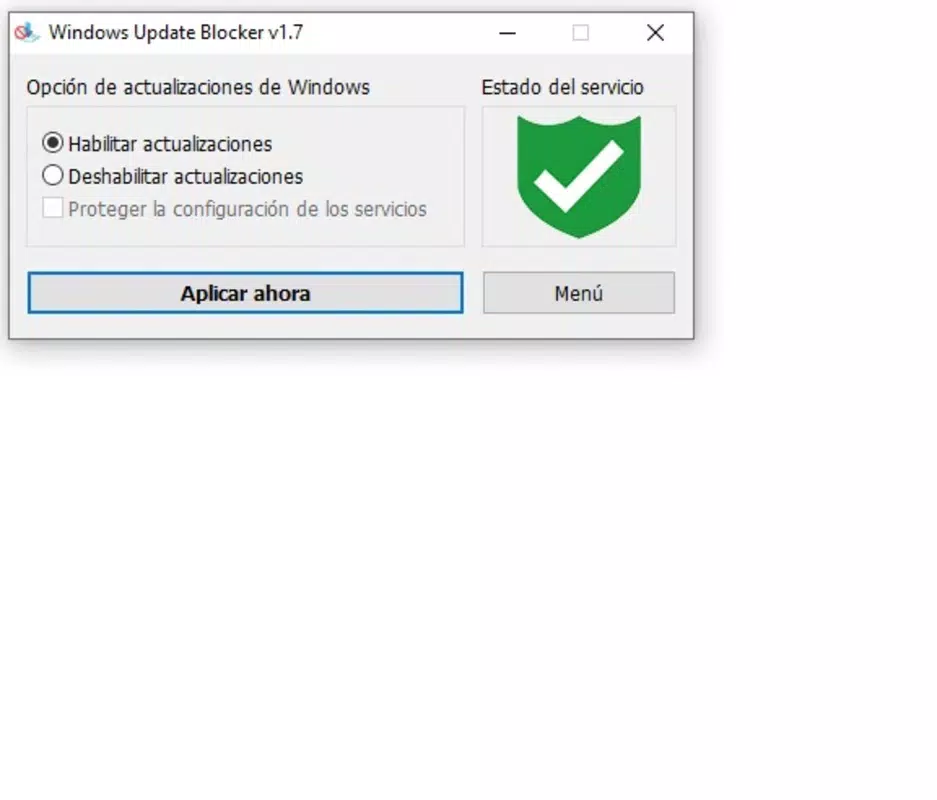
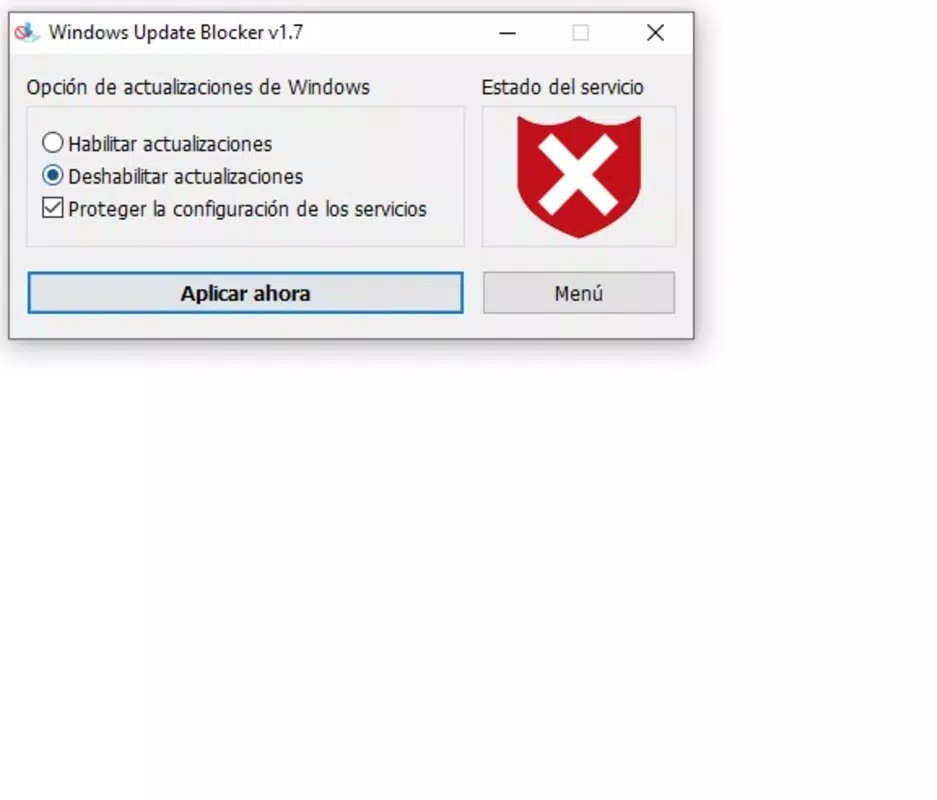
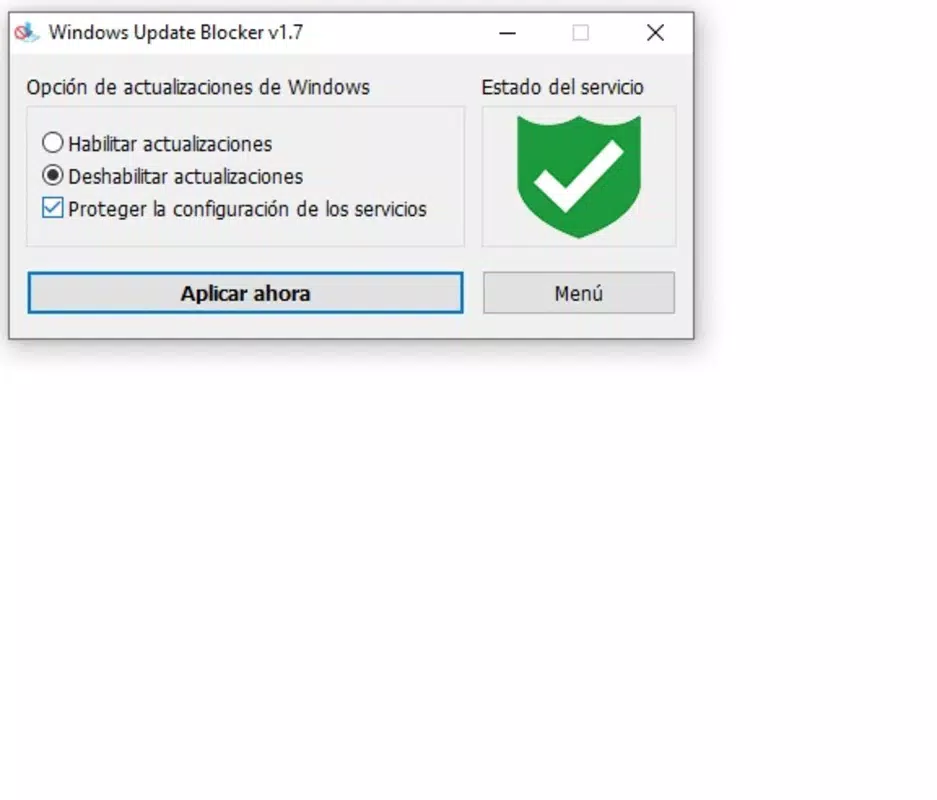
Windows Update Blocker features a minimalistic interface designed for immediate usability. The main window presents a single toggle button labeled “Disable Updates” or “Enable Updates,” depending on the current state, accompanied by a brief status indicator. The layout is clean, with no clutter, ensuring that users can perform actions without distraction.
Navigating the tool requires no learning curve. The single action point is clearly labeled, and feedback is immediate—users can see the update status change in real time. The application responds quickly to user input, with no noticeable lag or delay during state transitions.
Although the developer did not list formal performance metrics, the small file size of 3.8 MB suggests a lightweight footprint. The tool is expected to operate efficiently on a wide range of Windows devices, from older systems to modern machines. Stability appears consistent, as the application does not require background processes or system-level permissions beyond standard access to the Windows Update service.
Responsiveness is maintained across different screen sizes and resolutions, and the utility maintains a low resource footprint during operation. The absence of installation or registry modifications contributes to its reliability and reduces the risk of conflicts with other system components.
Platform Compatibility & Technical Requirements
Windows Update Blocker is designed exclusively for the Windows platform. It is compatible with Windows 10 and Windows 11, supporting both 32-bit and 64-bit architectures. The application is distributed as a single executable file with a file size of 3.8 MB, making it easy to download and transfer.
The developer did not specify minimum OS requirements or exact version compatibility details beyond the general support for Windows 10 and 11. No installation process is required, and the tool operates as a portable application. Users can run it directly from a USB drive or any local directory without administrative privileges, although certain actions may require elevated permissions to modify system services.
Compatibility information was not fully disclosed, and specific hardware or driver requirements were not listed. However, given its lightweight nature and lack of dependency on external libraries, it is expected to function on most modern Windows systems with standard configurations.
Pros and Cons
Pros
- Simple, intuitive interface with one-click functionality
- Portable—no installation or system changes required
- Effective control over automatic updates in Windows 10/11
- Helps maintain system stability and avoid unexpected reboots
- Free to download and use with no hidden costs
Cons
- Does not provide advanced update scheduling or filtering options
- Limited to Windows OS; not available for macOS or Linux
- Developer did not provide detailed technical documentation
- May require administrative rights to modify system services
- Not updated frequently—version 1.0.1 was released in 2024
FAQ
Is Windows Update Blocker safe to use?
Yes, the tool is designed to interact directly with the Windows Update service and does not install malware or modify critical system files. It is a lightweight utility developed by a known independent developer.
Can I use this tool on multiple computers?
Yes, because it is portable, you can copy the executable file to a USB drive and use it on any Windows 10 or 11 machine without installing software.
Do I need admin rights to run it?
While the application can be launched without elevated privileges, it may require administrator access to disable or enable the Windows Update service.
Will this tool work on Windows 8 or older versions?
Compatibility with Windows 8 or earlier was not confirmed. The tool is officially designed for Windows 10 and Windows 11.
How often is the tool updated?
The latest version, 1.0.1, was released in 2024. The developer has not provided a public update schedule, so users should check the official source for new releases.
Final Thoughts
Windows Update Blocker delivers a focused, reliable solution for users who want to regain control over their system’s update behavior. Its simplicity, portability, and effectiveness make it a standout utility in the Windows tools landscape. While it lacks advanced features like update scheduling or filtering, it excels in its core purpose: giving users immediate, reliable access to disable or re-enable automatic updates with minimal effort.
It is especially valuable for professionals who depend on stable, predictable environments and cannot afford disruptions from unexpected updates. The fact that it’s free, portable, and requires no installation adds to its appeal.
For anyone seeking a lightweight, trustworthy tool to manage Windows updates on their system, Windows Update Blocker is a practical and efficient choice. Download Windows Update Blocker now.


